
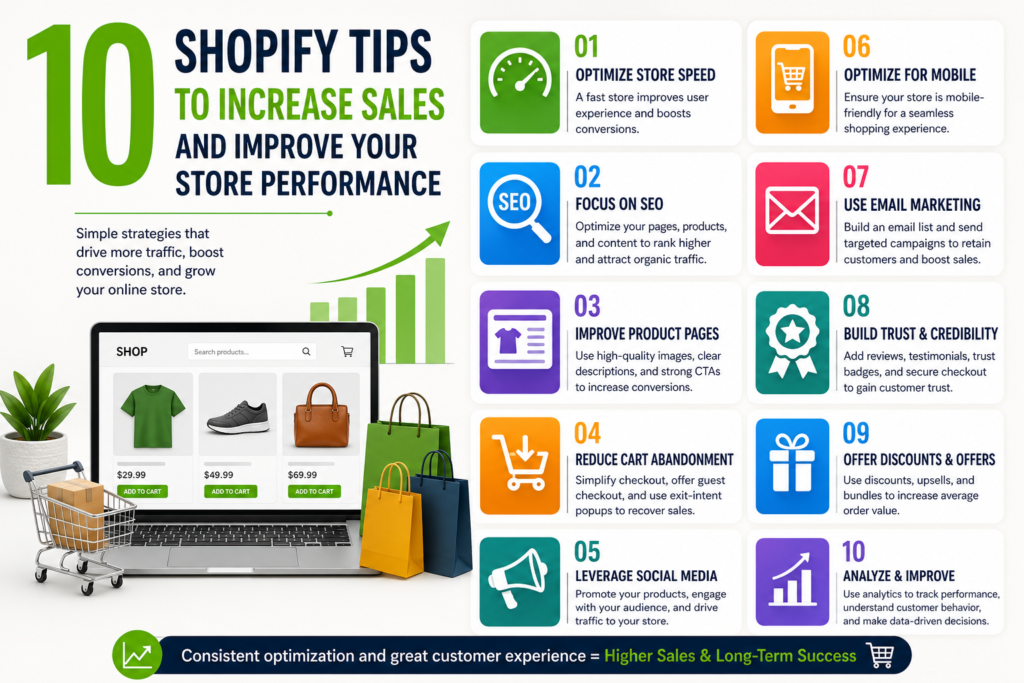
Running an online shop can feel like spinning a dozen plates at once. You are trying to manage inventory, design beautiful product pages, and figure out why visitors are leaving without buying. If you want to boost your revenue and speed up your site, implementing a few strategic Shopify tips to increase sales and improve your store performance can completely transform your business. Whether you are a solo entrepreneur or acting as your own Shopify Store Manager, getting these fundamentals right is the key to sustainable e-commerce growth.
1. Maximize Speed and Mobile Performance
Optimize Your Images
Large image files are the number one culprit behind slow loading times. Before uploading product photos, pass them through a free compressor tool. High-quality, lightweight images keep your site snappy and your customers happy.
Choose a Fast, Responsive Theme
Most online shopping happens on smartphones. Test your store’s mobile layout regularly. If your theme takes more than three seconds to load on a mobile device, users will click away before even seeing your products.
2. Refine the User Experience (UX)
Streamline the Checkout Process
The fewer clicks between a product page and a completed order, the better. Enable accelerated checkouts like Shop Pay, Apple Pay, or Google Pay. Reducing friction at checkout directly prevents abandoned carts.
Use Clear, Descriptive Navigation
Organize your menus logically. If a customer is looking for a specific item, they shouldn’t have to hunt through three nested menus to find it. Use simple labels that make intuitive sense.
3. Leverages Proven Tactics to Boost Sales
Set Up Automated Abandoned Cart Recovery
People get distracted, but an automated email sent an hour after someone leaves their cart can recover lost revenue. Remind them of what they left behind, and consider offering a small incentive like free shipping.
Implement Upselling and Cross-Selling
Suggest complementary items right on the product page or during checkout. If someone is buying a pair of shoes, show them matching socks. This simple nudge boosts your average order value effortlessly.
Showcase Authentic Social Proof
Display customer reviews, star ratings, and user-generated photos prominently on your product pages. New visitors are much more likely to buy when they see that others have had a great experience.
4. Master Technical SEO and Analytics
Optimize Product Descriptions and Meta Tags
Write unique product descriptions that naturally include terms your customers are searching for. Don’t forget to clean up your page titles and meta descriptions so they stand out on search engine results pages.
Simplify Your URL Structures
Keep your URLs short, clean, and readable. Avoid long strings of random numbers or symbols. A structured URL helps search engine crawlers understand your site layout much better.
Rely on Data, Not Guesswork
Dive into your backend dashboard regularly. Keep a close eye on your conversion rate, bounce rate, and top-performing products. Let the data tell you exactly where your store needs a little extra love.
Turning Traffic into Revenue
Improving your e-commerce store doesn’t have to happen overnight. By focusing on site speed, mobile responsiveness, and seamless checkouts, you will create a shopping experience that naturally drives conversions.
If handling all these optimizations feels overwhelming while trying to scale your brand, partnering with a dedicated Shopify Store Manager can take the technical weight off your shoulders. Start by choosing just two or three tips from this list to implement today, watch your metrics improve, and keep building from there. Your bottom line will thank you!